Ledger review: which Ledger hardware wallet to buy, from Nano S Plus to Stax
Ledger hardware wallets keep your private keys offline on a certified Secure Element chip, so every transaction must be approved on the device in your hand. Models run from the $69 Nano S Plus to the $399 Stax, all managed with the free Ledger Wallet app, for anyone moving crypto off an exchange into self-custody.
Crypto-assets are highly volatile and largely unregulated in many countries. You can lose all the money you put in. Not investment advice.
No extra sign-up bonus — the provider's standard offer applies.
Disclosure: this is an affiliate link. If you sign up through it, we may earn a commission at no extra cost to you. The bonus and terms are set by Ledger and can change — check them on the official site before you sign up.
How to get started
- Open the official Ledger store through the link on this page; there is no code to type.
- Pick a model and add it to the cart; check shipping and taxes at checkout.
- Install the free Ledger Wallet app and set up the device with a PIN.
- Back up your Secret Recovery Phrase offline (or the Recovery Key on touchscreen models), then move your crypto in.
What a Ledger wallet does for you
Ledger SAS, based in Paris, makes hardware wallets it now calls signers. Your private keys stay on a Secure Element chip instead of your phone or computer, and nothing moves until you confirm it on the device's screen. A thief would also need your PIN: three wrong entries reset the device.
Every current model gives you:
- 500+ coins in the Ledger Wallet app (Bitcoin, Ethereum, Solana, XRP, stablecoins), thousands more via third-party wallets;
- compatibility with 50+ wallets, including MetaMask and Phantom;
- Clear Signing: transaction details shown on the device before you approve;
- a 2FA passkey for logins on supporting sites;
- restore on any Ledger device with your Secret Recovery Phrase.
Touchscreen models add automated threat detection against scams. Ledger devices don't work with Chromebooks.
Ledger models and prices
Prices on the US store at the time of writing:
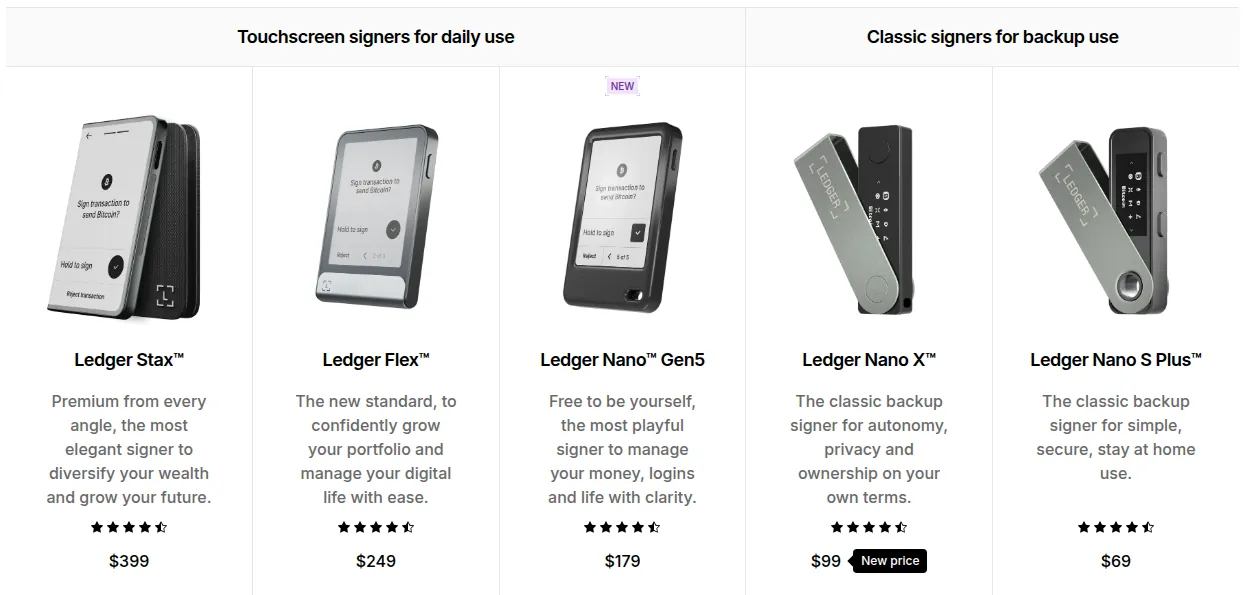
| Model | Price | Screen | Connection | Battery | Backup in the box |
|---|---|---|---|---|---|
| Nano S Plus | $69 | 1.1" OLED | USB-C | none | Recovery Sheets |
| Nano X | $99 | 1.1" OLED | USB-C, Bluetooth | up to 5 h | Recovery Sheets |
| Nano Gen5 | $179 | 2.8" E Ink touchscreen | USB-C, Bluetooth, NFC | up to 10 h | Recovery Key, Recovery Sheets |
| Flex | $249 | 2.8" E Ink touchscreen, Gorilla Glass | USB-C, Bluetooth, NFC | up to 10 h | Recovery Key, Recovery Sheets |
| Stax | $399 | 3.7" curved E Ink touchscreen | USB-C, Bluetooth, NFC, Qi wireless charging | up to 10 h | Recovery Key, Recovery Sheets, Magnet Shell |
Chips are CC EAL6+ certified, except the Nano X (EAL5+). The Nano S Plus works with desktop and Android but not iOS. Flex and Stax pages show free shipping; otherwise shipping and taxes appear at checkout.
Which Ledger should you buy?
- Nano S Plus: cheapest cold storage for desktop or Android use at home; up to 100 apps.
- Nano X: adds Bluetooth and a battery, so it works with the iPhone app.
- Nano Gen5: entry touchscreen, NFC, included Recovery Key.
- Flex: larger, sharper screen under Gorilla Glass for daily use.
- Stax: biggest wrap-around screen, wireless charging, magnetic shell.
Ledger positions the two Nanos with OLED screens as backup signers and the touchscreens for daily use. For crypto taxes, see our Koinly review; other self-custody options are under best crypto wallets and cards, including the seedless Cypherock X1.
The Ledger Wallet app
Ledger Wallet (formerly Ledger Live) is the free app for Windows, macOS, Linux, iOS and Android, with no subscription and no account: access is through your device and PIN.
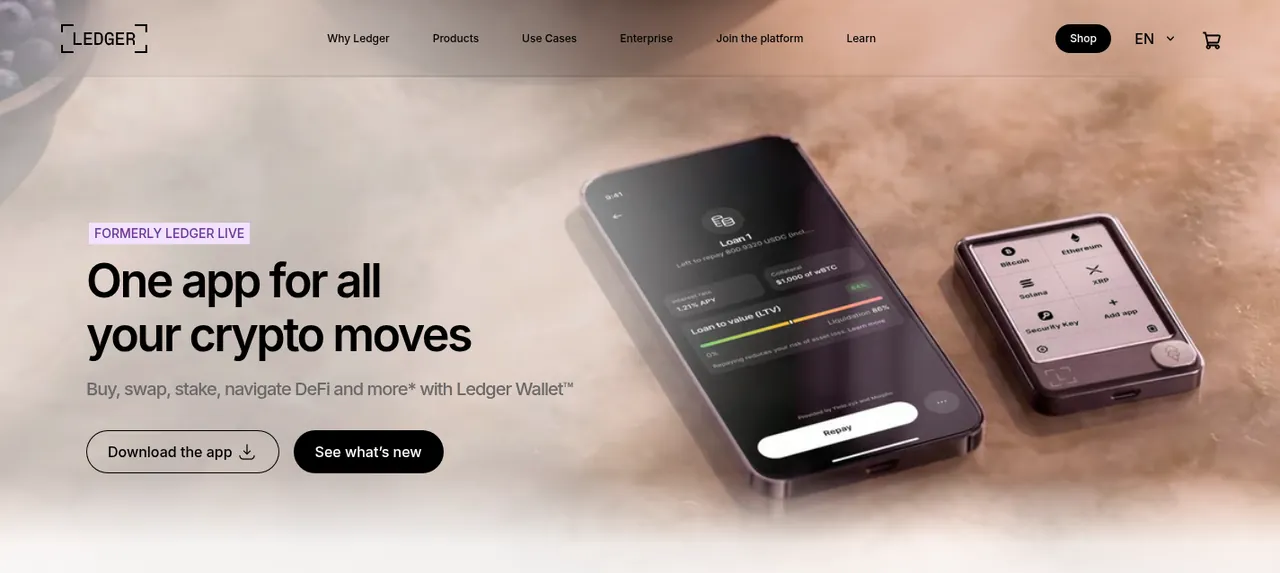
- track 15,000+ coins and tokens across 100+ blockchains;
- buy by comparing 50+ third-party providers (card, bank transfer or Apple Pay, by country);
- swap across chains, with all fees shown before you confirm;
- stake ETH, SOL and selected stablecoins; Ledger charges no staking fee;
- connect to DeFi apps without a browser extension.
These services come from third-party providers, vary by region and carry their own fees. Rewards are not guaranteed.
Returns, backup options and good to know
- Seller: Global-e is merchant of record; Ledger handles logistics and support. Terms follow French law.
- Returns: consumers have a 14-day right of withdrawal after delivery; bundles go back complete. Report transit damage within 8 days.
- Guarantee: two-year statutory guarantee of conformity for non-business buyers.
- Backup: Ledger Recover is an optional paid, ID-based subscription run with Coincover, with a free first month and auto-renewal; not available in every country.
- Regions: no re-export to Russia or Belarus under the terms; Ledger does not ship to Russia.
Pros and cons
Pros
- Private keys stay offline on a certified Secure Element; every transaction is approved on the device
- A model for every budget, from the $69 Nano S Plus to the $399 Stax
- Free Ledger Wallet app to buy, swap and stake without an exchange account
- Works with 50+ wallets including MetaMask and Phantom
- 14-day right of withdrawal and two-year statutory guarantee
Cons
- Nano S Plus does not work with iPhone
- Buy, swap and staking run through third-party providers with their own fees
- Ledger Recover is a paid, ID-based subscription, not included in the price
- No delivery to Russia; not compatible with Chromebooks
Frequently asked questions
Is there a Ledger promo code or discount?
No public promo code is advertised. The link on this page opens the official store, so there is nothing to type.
Is Ledger legit and safe?
Ledger SAS is a Paris company that publishes its sales terms, return rules and support pages, and keys stay on a certified chip. The caveat: anyone with your Secret Recovery Phrase can restore your wallet, so never share it.
Does the Ledger Wallet app cost anything?
No. The app is free with no subscription. Third-party providers charge their own fees when you buy, sell or swap, and blockchains charge network fees. Ledger charges no staking fee.
What happens if I lose my Ledger?
Your crypto stays on the blockchain. Restore it on any Ledger with your Secret Recovery Phrase, or with the Recovery Key on touchscreen models.
Can I return a Ledger wallet?
Consumers have 14 days after delivery to withdraw, with a refund within 14 days. Bundles must be returned complete.
- https://shop.ledger.com/pages/hardware-wallets-comparison
- https://shop.ledger.com/products/ledger-nano-s-plus
- https://shop.ledger.com/products/ledger-nano-x
- https://shop.ledger.com/products/ledger-nano-gen5
- https://shop.ledger.com/products/ledger-flex
- https://shop.ledger.com/products/ledger-stax
- https://shop.ledger.com/pages/ledger-wallet
- https://shop.ledger.com/pages/ledger-recover
- https://shop.ledger.com/pages/terms-and-conditions
Compare Ledger
- Best hardware wallets: Ledger models and Cypherock X1 compared
A hardware wallet keeps the keys to your crypto on a small device instead of an exchange or your phone, so nothing moves until you approve it by hand. In short: pick Ledger if…
- Best crypto staking platforms: where to stake and earn on your coins
Staking pays you rewards for locking proof-of-stake coins to help secure a network. Where you stake decides who holds your keys, what you pay and how fast you can get out. The…
 Cypherock
 NOWPayments