
Pixelcut review: AI photo editor for product photos and creators
Pixelcut is an AI photo and video editor for online sellers, creators and small businesses. It removes backgrounds, upscales, erases objects and generates product scenes, images and short videos in the browser, on iOS and Android, or through an API. Basic edits are free without an account; Pro starts at $8 a month billed yearly.
No extra sign-up bonus — the provider's standard offer applies.
Disclosure: this is an affiliate link. If you sign up through it, we may earn a commission at no extra cost to you. The bonus and terms are set by Pixelcut and can change — check them on the official site before you sign up.
How to get started
- Open Pixelcut through the link on this page; basic tools work without an account.
- Upload a JPG, PNG or HEIC photo (up to 50 MB and 6000 × 6000 px) to the tool you need.
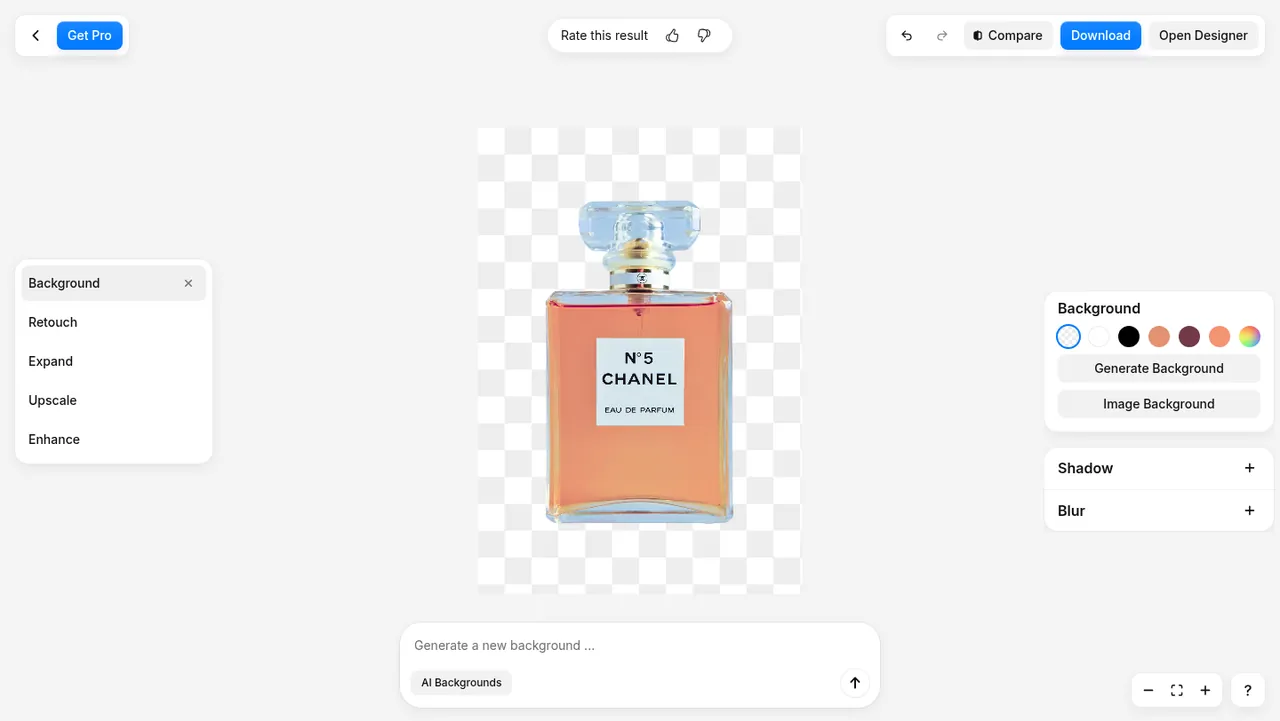
- Refine the result in the editor: change the background, retouch, expand or upscale.
- Download the image; free exports carry no watermark.
- Upgrade to Pro or Business on the pricing page when you need batch exports, AI credits or a team.
What Pixelcut does
Pixelcut, Inc. was founded in 2020 and is based in Oakland, California. It started as a set of AI editing tools and now combines image and video editing in one workspace. The company says more than 70 million people use it in 150 countries.
The main tools:
- Background Remover: one-click cutouts with transparent, white, color or AI-generated backgrounds.
- Image Upscaler: 2x or 4x, plus unblur and sharpen.
- Magic Eraser: removes objects, people or text from a photo.
- AI product photography and AI Backgrounds: studio-style scenes behind a product, matched to its lighting.
- Uncrop and Generative Fill: extend a photo to a new aspect ratio or add objects from a prompt.
- AI image and video generator: one interface for third-party models such as Flux, Ideogram, Kling, Veo and Seedance.
- Bulk editor: one edit across up to 10,000 images, with Dropbox import and ZIP export.
Who Pixelcut is for
- E-commerce sellers who need clean white or styled backgrounds for marketplace listings, in bulk.
- Fashion brands that want clothing shown on consistent AI models across a catalog.
- Small businesses and marketers making ads and social posts without a designer.
- Creators who need thumbnails and short clips fast.
- Developers who want background removal or upscaling in their own app through the REST API or the MCP server.
Pixelcut itself says it is not a general-purpose design suite, a vector tool or a long-form video editor. For more image generation, see the getimg.ai review; for templates and marketing design, the Simplified review. More options are on the AI tools page.
Pixelcut pricing
| Plan | Monthly | Billed yearly | Main limits |
|---|---|---|---|
| Free | $0 | $0 | Limited background removal and upscaling, exports without watermark |
| Pro | $10/mo | $8/mo | 600 AI credits/mo, 3-person team, 1,000 batch exports/mo, AI edits 300/day |
| Business | from $30/mo | from $24/mo | 3,600 AI credits/mo, 10-person team, 2,000 batch exports/mo, AI edits up to 1,200/day |
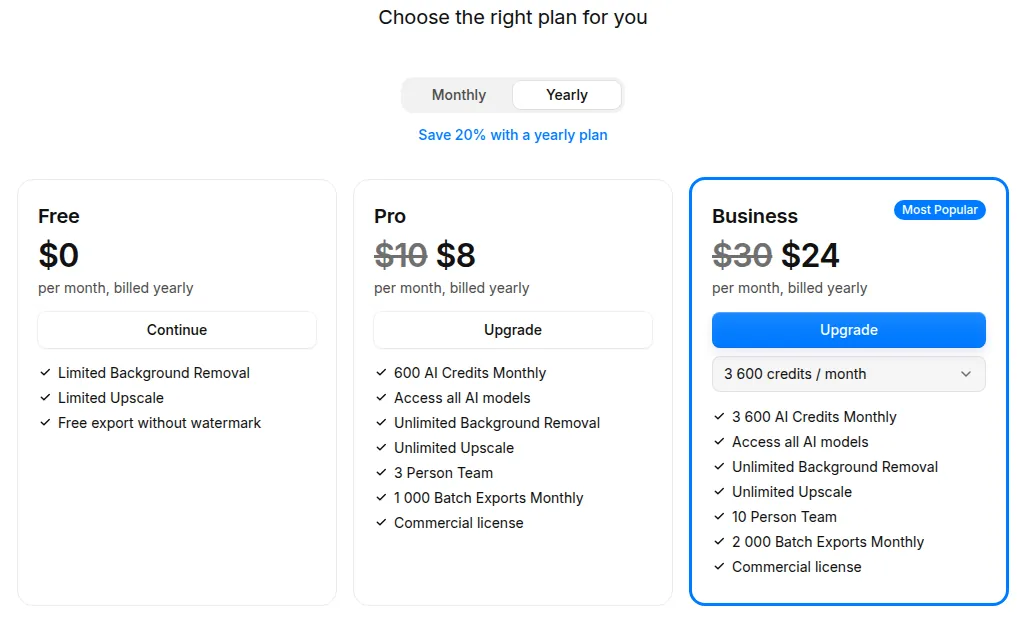
Both paid plans include all AI models, unlimited background removal and upscaling, and a commercial license. Business scales by credits: 9,000 credits cost $60 a month, and the top tier of 180,000 credits costs $1,200 a month on monthly billing. Yearly billing saves 20%.
Credits pay for advanced and third-party models; video uses far more than images, and the pricing page lists how many images or 5-second clips each model yields. Team members share the organization's credits, with no per-seat fee.
API pricing is separate: $0.01 per credit, from 1,000 credits for $10 a month. Background removal costs 5 credits; upscaling, background generation, try-on and outpainting cost 10. New accounts get free credits to test.
Why choose Pixelcut
The free tools are genuinely usable: a background cutout downloads in HD without a watermark and without signing up. Pro at $8 a month billed yearly costs less than many AI editors and adds unlimited cutouts, batch exports and access to dozens of image and video models through one credit balance. Sellers can process a whole catalog in one batch, and the same tools are available in the mobile apps and the API.
Good to know
- Cancel anytime, according to the pricing page; web checkout runs through Stripe.
- App store subscriptions bought on iPhone are billed by Apple, renew automatically unless cancelled at least 24 hours before the period ends, and are managed in your Apple account.
- Credits run out: heavy video generation can use a monthly allowance quickly, so check the per-model table first.
- Age: the terms require users to be adults under their local law.
Pros and cons
Pros
- Free background removal and HD export without watermark or account
- Pro from $8/mo billed yearly with unlimited cutouts and upscaling
- Dozens of image and video models under one credit balance
- Batch editing for up to 10,000 images and Dropbox import
- Web, iOS, Android and a pay-as-you-go API
Cons
- Free plan limits background removal and upscaling
- Video generation burns through credits fast
- Not a full design suite or long-form video editor
- Large Business credit tiers get expensive
Frequently asked questions
Is Pixelcut free?
Yes. The free plan includes limited background removal and upscaling, and exports carry no watermark. Basic tools such as the background remover work without an account.
How much is Pixelcut Pro?
Pro costs $10 a month, or $8 a month billed yearly. It includes 600 AI credits a month, unlimited background removal and upscaling, a 3-person team, 1,000 batch exports a month and a commercial license.
Can I cancel my Pixelcut subscription?
Yes, Pixelcut says you can cancel at any time. Subscriptions bought through the Apple App Store are cancelled in your Apple account settings at least 24 hours before renewal.
What are Pixelcut credits?
Credits are used when you create or edit with advanced AI models, many from third-party providers. Pro includes 600 a month and Business from 3,600; team members share the same balance.
Does Pixelcut have an API?
Yes. The REST API covers background removal, upscaling, background generation, try-on and outpainting. It costs $0.01 per credit, from $10 a month for 1,000 credits, and new accounts get free test credits.
Is Pixa the same as Pixelcut?
Pixelcut uses the Pixa name for its partner links and API scopes (pixa:read, pixa:write). The product, website and apps are called Pixelcut.
 AI Studios (DeepBrain AI)
 Akool
Akool Async
Async BotHub