What is a residential proxy, and do you need one?
A residential proxy sends your requests through an IP address that an internet provider assigned to a real home, so websites see an ordinary local visitor instead of a server. It is the right tool when results depend on location or a site treats datacenter traffic differently, and it costs more: usually billed per GB instead of per IP. This guide explains where the IPs come from, how residential compares with datacenter, mobile and ISP proxies, how rotating and sticky sessions work, and what you will pay.
Use it in line with the law and the terms of the sites and platforms you work with.
What is a residential proxy?
A proxy is a server that forwards your requests, so the website you visit sees the proxy's IP address instead of yours. A residential proxy forwards them through an IP address that an internet provider assigned to a home connection: a household broadband line rather than a server rack. To the site on the other end, your request looks like it comes from an ordinary subscriber of a local ISP in the country, and often the city, you picked.
That matters because pages, prices and search results change by country and city, and traffic from known server ranges is often rate-limited or shown different content. A residential IP lets you see what a local visitor sees.
In practice you rarely deal with single addresses. You connect to the provider's gateway, one hostname and port, and authenticate with a username and password. The gateway picks an exit from its pool for each connection, and parameters in your username control the country, the session and sometimes the city or ISP. PacketStream, for example, uses proxy.packetstream.io with HTTPS on port 31111 and SOCKS5 on 31113.
Where residential IPs come from
A provider doesn't own homes, so the IPs have to come from people who agree to share their connection. Vendors describe a few models:
- Bandwidth-sharing apps. People install a desktop or mobile app and are paid for the traffic routed through their connection. PacketStream calls these users Packeters: its site says they run an app on Windows, macOS or Linux, earn $0.10 per GB shared and can stop or uninstall the app at any time.
- SDKs inside other apps. Some networks pay app developers to embed a software kit. Bright SDK, for example, says a configurable screen asks users to opt in and that the kit runs only when the device has enough CPU, memory and battery.
- ISP partnerships. Static residential (ISP) proxies are usually addresses registered to consumer ISPs but hosted on servers, which is why they can be kept for months.
Providers disclose little here. MarsProxies calls its network "ethical"; NodeMaven and ProxyWing describe where IPs come from ("IP addresses from ISP networks") but not how the device owners consent. Before you buy, look for a clear statement that sharers opted in and can leave, and prefer a provider that names its operating company and publishes an acceptable use policy.
Residential vs datacenter proxies
A datacenter proxy uses an IP registered to a hosting company. It is fast, stable and cheap, and you usually rent the same address for a month. Its weakness is that the IP range is publicly known as a server range, so sites that care about who their visitors are can tell.
| Residential | Datacenter | |
|---|---|---|
| IP registered to | A consumer ISP | A hosting or cloud company |
| Looks like | A home visitor | A server |
| Typical billing | Per GB of traffic | Per IP per month, traffic unlimited |
| Stability | Exits can drop when a home device goes offline | Static and always on |
| Best for | Location-accurate checks, sites strict about server traffic | High-volume work on lenient sites, fixed allowlisted IPs |
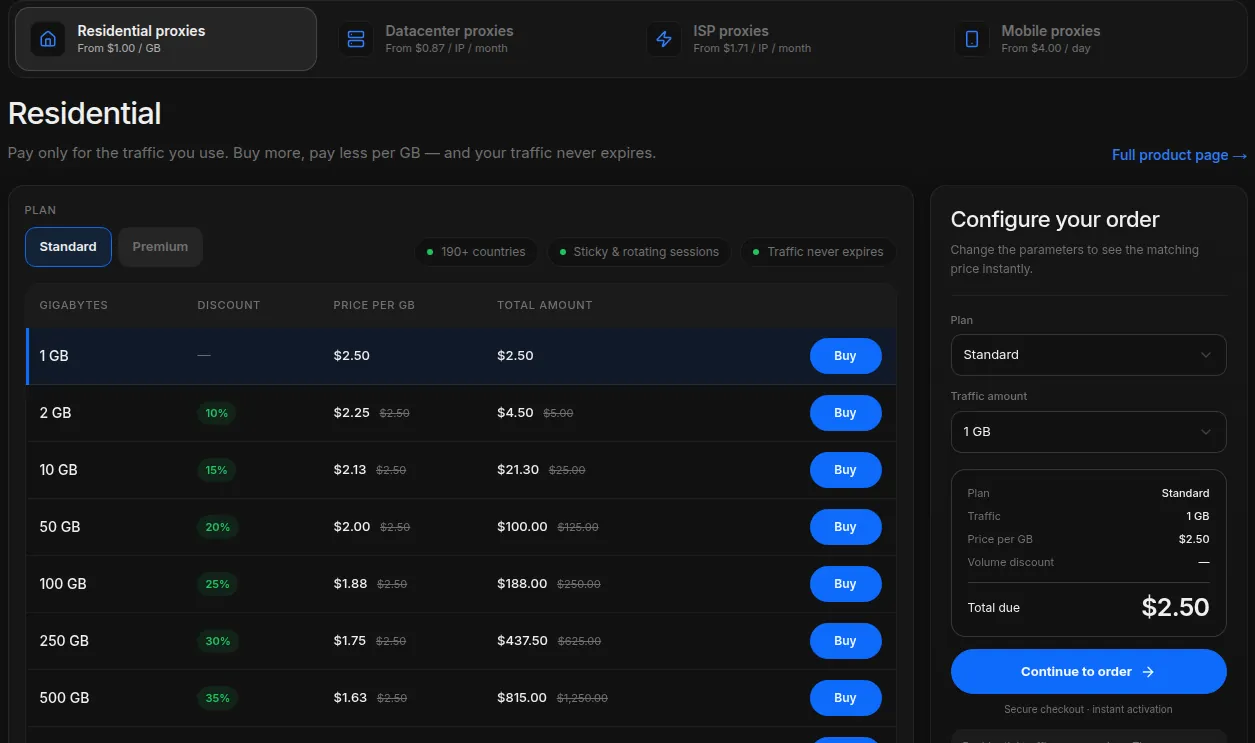
The price gap is large. ProxyWing lists datacenter IPs from $0.87 per IP per month with unlimited traffic, while its residential traffic starts at $2.50 for 1 GB. MarsProxies lists datacenter proxies from $0.99 each. If your target treats datacenter traffic the same, that is the cheaper choice.
Residential vs mobile vs ISP proxies
Two more types sit between those two:
- Mobile proxies route through 4G/5G carrier connections. Carriers share one public IP among many subscribers, so these addresses are the least likely to be singled out, and they are the most expensive. MarsProxies sells dedicated mobile IPs from $8.49 per day, ProxyWing from $4.00 per day. NodeMaven is an exception: it sells mobile traffic at the same $2.20/GB as residential on its monthly plans.
- ISP (static residential) proxies use addresses registered to consumer ISPs but run on server hardware. You get a residential-looking IP that stays the same for weeks and has datacenter-like uptime, usually with unlimited traffic and billed per IP. NodeMaven lists ISP proxies from $2.33 per IP for 30 days, ProxyWing from $1.71 per IP per month, MarsProxies from $1.35 per proxy.
A simple rule: pick rotating residential when you need many locations and a fresh IP often, ISP when you need one residential-looking address for a long time (for example, logging in to your own business account from the same place), and mobile only when a target treats carrier traffic differently and residential isn't enough.
Rotating vs sticky residential proxies
Residential gateways work in two modes, chosen per request with a parameter:
- Rotating: a new exit for every request or every new connection. Anonymous Proxies says each HTTP request on its rotating gateway uses a new IP; PacketStream picks an exit for each new connection, and notes that a new connection is not guaranteed a different IP. Rotation suits jobs made of independent requests, such as checking thousands of product pages.
- Sticky: the same exit for a set time, so a multi-step flow (a login, a cart, a paginated search) doesn't jump between cities halfway through. Session limits vary widely: Anonymous Proxies says typically 1–30 minutes, NodeMaven up to 24 hours, ProxyWing up to 1,000 minutes on its Standard plan and up to 7 days on Premium, MarsProxies from 1 second to 7 days.
Remember that a sticky residential IP is still somebody's home connection. PacketStream's documentation says plainly that if the sharer's device disconnects, the session fails rather than silently switching to a new IP. If your task needs one address for weeks, that is a job for an ISP proxy, not a long sticky session.
How residential proxies are priced
Residential proxies are almost always sold per gigabyte of traffic, because the provider pays the people and partners whose bandwidth you use. Three things decide what you actually pay:
- Volume tiers. Headline prices quote the largest package. ProxyWing goes from $2.50/GB at 1 GB to $1.00/GB at 10,000+ GB; MarsProxies from $4.99/GB at 1 GB to $1.65/GB at 10,000 GB.
- Expiry. Some packages last 30 days. PacketStream, ProxyWing and MarsProxies say purchased residential traffic never expires; NodeMaven rolls unused traffic over to the next billing period.
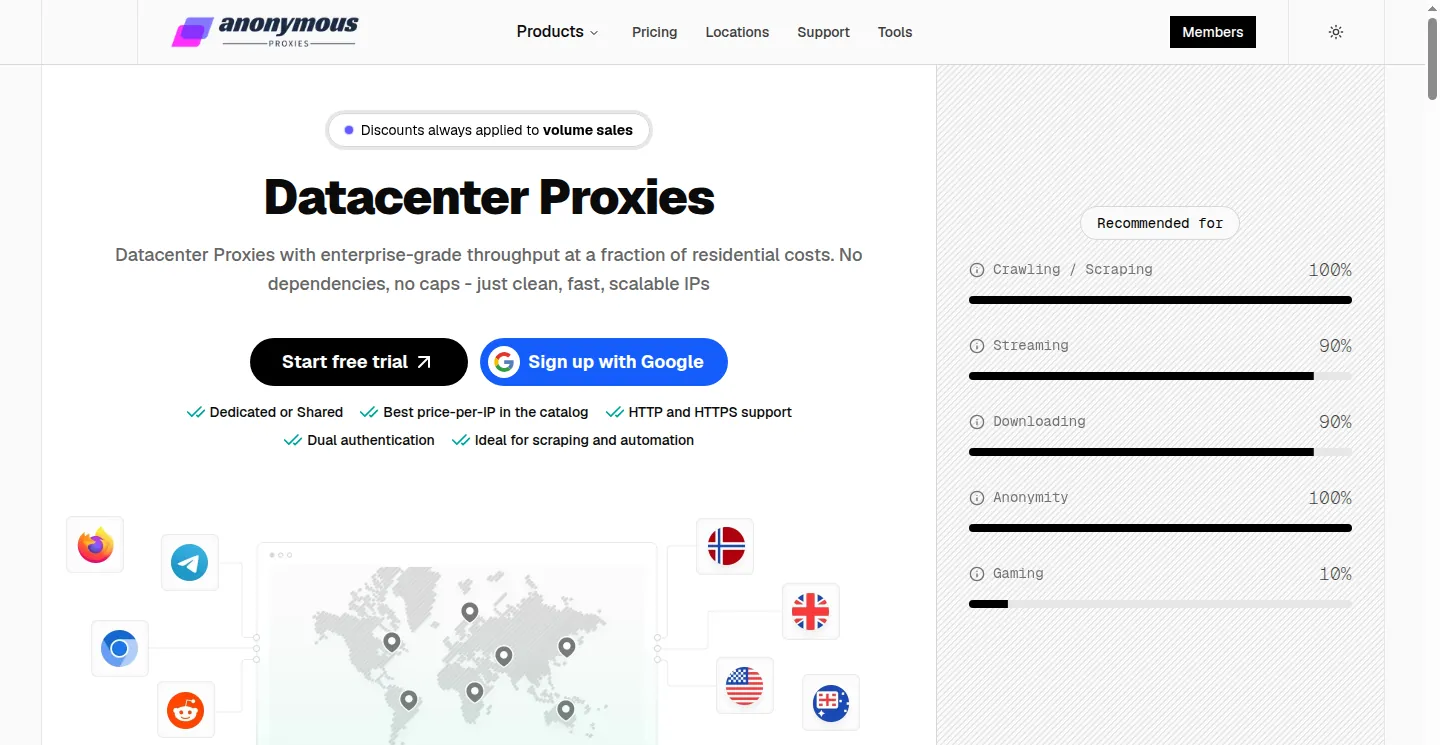
- Minimums and trials. PacketStream charges a flat $1.00/GB with a $50 minimum purchase. NodeMaven sells a paid trial of 750 MB for $3.50, and Anonymous Proxies offers a free trial on rotating residential proxies.
Full pages with images use far more traffic than HTML alone, so skip assets you don't need. Datacenter and ISP proxies flip the model: you pay per IP and traffic is usually unlimited.
What residential proxies are used for
Legitimate, everyday uses include:
- Price and stock monitoring: seeing the prices and availability shoppers in each market see.
- Ad verification: checking that your ads and landing pages appear correctly in the cities you pay for.
- SEO and SERP tracking: search results differ by country and city, so rank tracking needs a local IP.
- QA of localized sites: testing language redirects, geo-pricing and cookie banners from the countries you serve.
- Market research and public data collection at a pace that respects the site.
- Managing your own accounts from a consistent location, for example several business social profiles, within each platform's rules.
Do you need a residential proxy?
You probably do if the answer depends on where the request comes from (local prices, local search results, ads in a specific city) or the site handles datacenter traffic differently. You probably don't if you only need a different IP, a fixed address for an allowlist, or high volume on a site that doesn't care: a datacenter proxy is cheaper and steadier. If you need one residential-looking IP that never changes, choose an ISP proxy.
Start with a small non-expiring purchase or a trial before committing to a monthly package.
Use them within the rules
A residential proxy changes your IP address, not your obligations. Every provider in this guide forbids fraud, spam and unauthorized access in its terms; ProxyWing also prohibits unapproved scraping, and Anonymous Proxies publishes a list of banned targets. Several providers, including NodeMaven, MarsProxies and ProxyWing, may ask for ID or your use case. The target site's own terms still apply, and so does data protection law when pages contain personal data. Don't use proxies to evade bans, create fake accounts or get around security checks, and stop if a site asks you to.
Which residential proxy provider to choose
Once you know you need residential IPs, the choice comes down to price per GB at your volume, expiry, sessions and targeting. Our comparison of the best residential proxies puts these side by side. In short:
- PacketStream for a flat $1.00/GB with no subscription: see the PacketStream review.
- ProxyWing to start with 1 GB that never expires, plus datacenter, ISP and mobile in one account: the ProxyWing review.
- MarsProxies for sessions up to 7 days and non-expiring traffic: the MarsProxies review.
- NodeMaven for IP-quality filtering and mobile IPs at the residential price: the NodeMaven review.
- Anonymous Proxies for a free trial and ZIP-level targeting: the Anonymous Proxies review.
For datacenter and ISP options too, browse all proxy services.
Frequently asked questions
What is the difference between residential and datacenter proxies?
A residential proxy uses an IP that a consumer ISP assigned to a home connection, while a datacenter proxy uses an IP registered to a hosting company. Residential IPs look like ordinary visitors and are usually billed per GB; datacenter IPs are faster, steadier and cheaper, usually billed per IP with unlimited traffic.
What is the difference between residential, mobile and ISP proxies?
Residential proxies exit through home broadband connections and usually rotate. Mobile proxies exit through 4G/5G carrier networks and cost the most. ISP proxies use addresses registered to consumer ISPs but hosted on servers, so they stay the same for weeks and are billed per IP.
What is the difference between rotating and sticky residential proxies?
A rotating proxy gives you a new exit for each request or connection, which suits independent requests. A sticky session keeps the same IP for a set time, from minutes up to several days depending on the provider, which suits multi-step flows such as a login or checkout. A sticky IP can still drop if the home device behind it goes offline.
Why are residential proxies billed per GB?
The provider pays the people and partners whose connections carry your traffic, so cost scales with bandwidth. Prices fall with volume, for example from $2.50/GB at 1 GB to $1.00/GB at 10,000+ GB at ProxyWing, and some providers' traffic expires after 30 days while others' never does.
Are residential proxies legal?
Using a proxy is legal in most countries for uses such as price monitoring, ad verification and SEO tracking. What you do through it must still follow the law, the provider's acceptable use policy and the target site's terms. Choose a provider that explains how device owners opt in to its network.
Are residential proxies ethically sourced?
It depends on the provider. Reputable networks recruit sharers through apps or SDKs that ask them to opt in and let them leave, and some pay them per GB; PacketStream pays $0.10 per GB shared. Many providers say little about consent, so look for a clear sourcing statement before you buy.
- PacketStream homepage (how the network works, use cases)
- PacketStream rotation and sticky sessions documentation
- PacketStream pricing
- Bright SDK (opt-in SDK model)
- ProxyWing residential proxies documentation
- ProxyWing prices
- ProxyWing terms and acceptable use
- MarsProxies homepage
- MarsProxies pricing
- NodeMaven pricing
- NodeMaven terms and conditions
- Anonymous Proxies rotating residential proxies
- Anonymous Proxies datacenter proxies
- Anonymous Proxies restrictions